Video Bots: the future of automated visual customer support
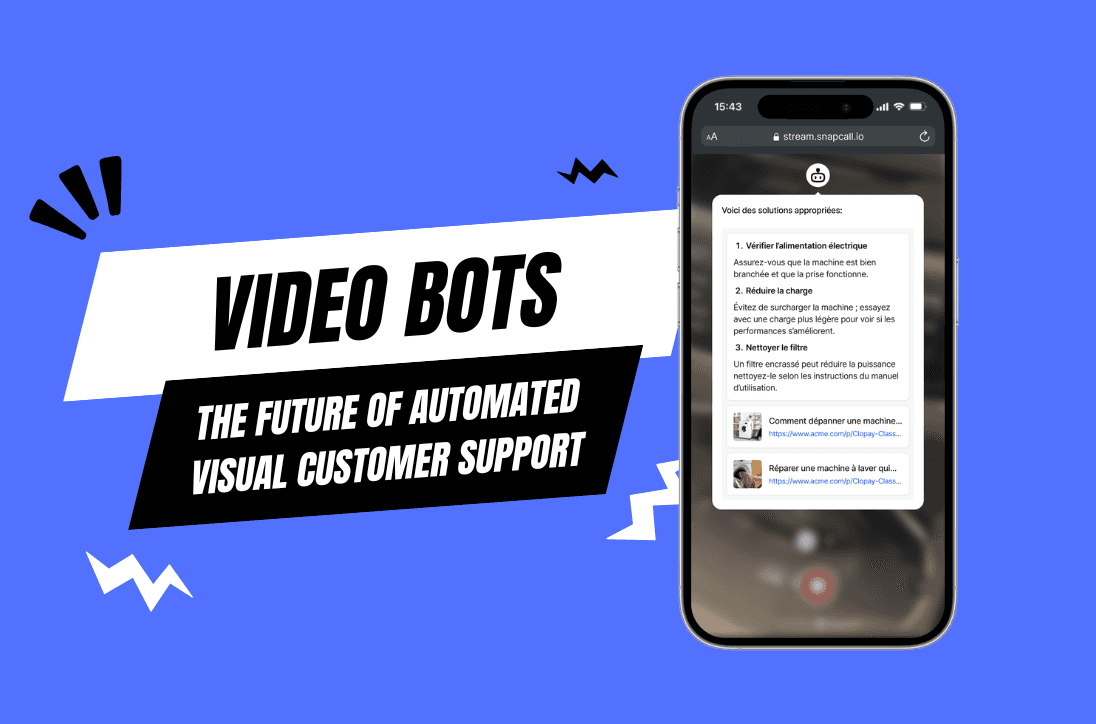
Discover how video bots are revolutionizing customer support with visual AI, reducing resolution times by 50% while improving satisfaction. Learn implementation strategies and ROI metrics.
The customer support landscape is evolving rapidly with AI and video technology at the forefront. Discover how video bots are transforming support operations, slashing resolution times by up to 46%, and creating exceptional customer experiences at scale.
What Are Video Bots and Why Are They Revolutionizing Customer Support?
Customer support has undergone several transformations over the decades—from phone to email, live chat to text-based chatbots. Now, we’re witnessing the next evolution: video bots, combining the visual power of video communication with the efficiency of AI automation.
Leading companies are adopting video bots to enhance customer support and operational efficiencies, leveraging technology to meet increased demands and competition.
SnapCall's video bots represent a significant leap forward in support automation by adding the crucial visual dimension that text-based solutions lack. Building on the success of SnapCall Clip (asynchronous video recording) and SnapCall Call (live video communication), SnapCall video bots create an intelligent layer of automation that analyzes visual content and provides immediate solutions. Given that 80% of communication is non-verbal, these AI-powered visual assistants address a fundamental limitation in traditional support channels
In this comprehensive guide, we’ll explore:
What video bots are and how they work
Key benefits for support teams and customers
Real-world applications across industries
Implementation strategies for maximum ROI
The future of video bots in customer experience
The Anatomy of Video Bots: Beyond Text-Based Automation
What Exactly Is a Video Bot?
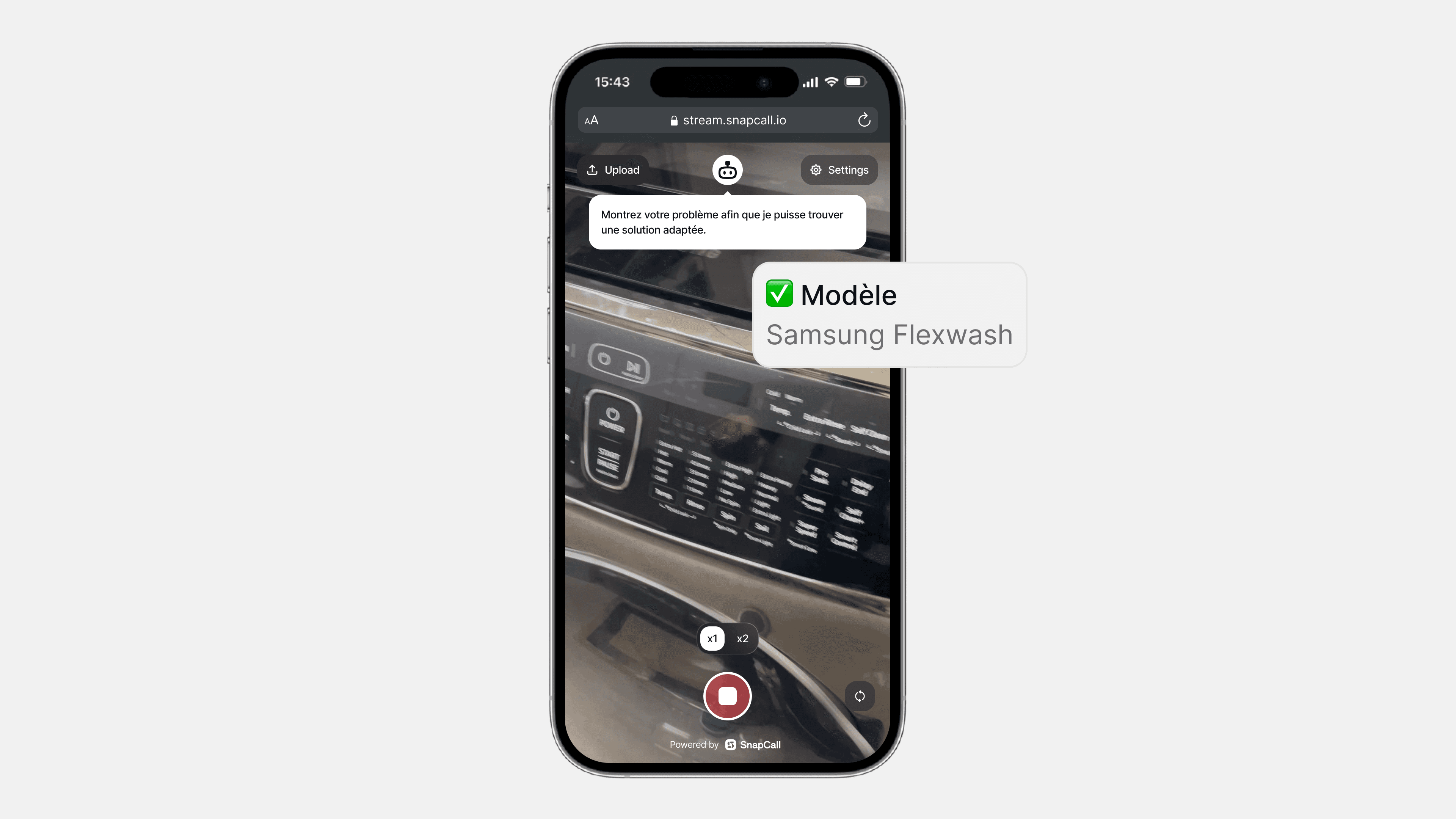
A video bot is an AI-powered assistant that can process, analyze, and respond to visual information shared by customers through live video. Unlike traditional chatbots limited to text, video bots can:
Receive and analyze customer-submitted videos and images
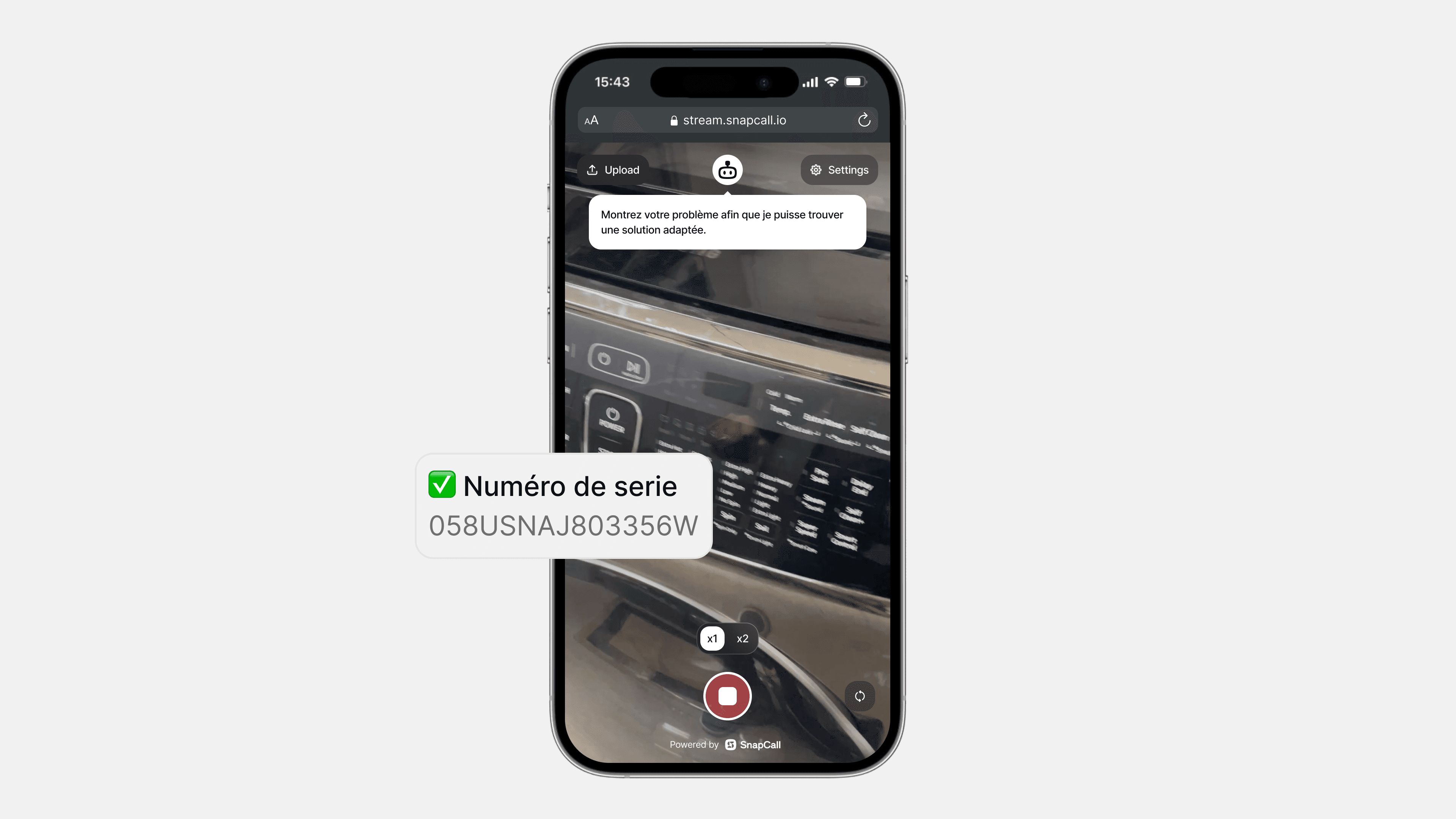
Visually identify products, issues, and contexts
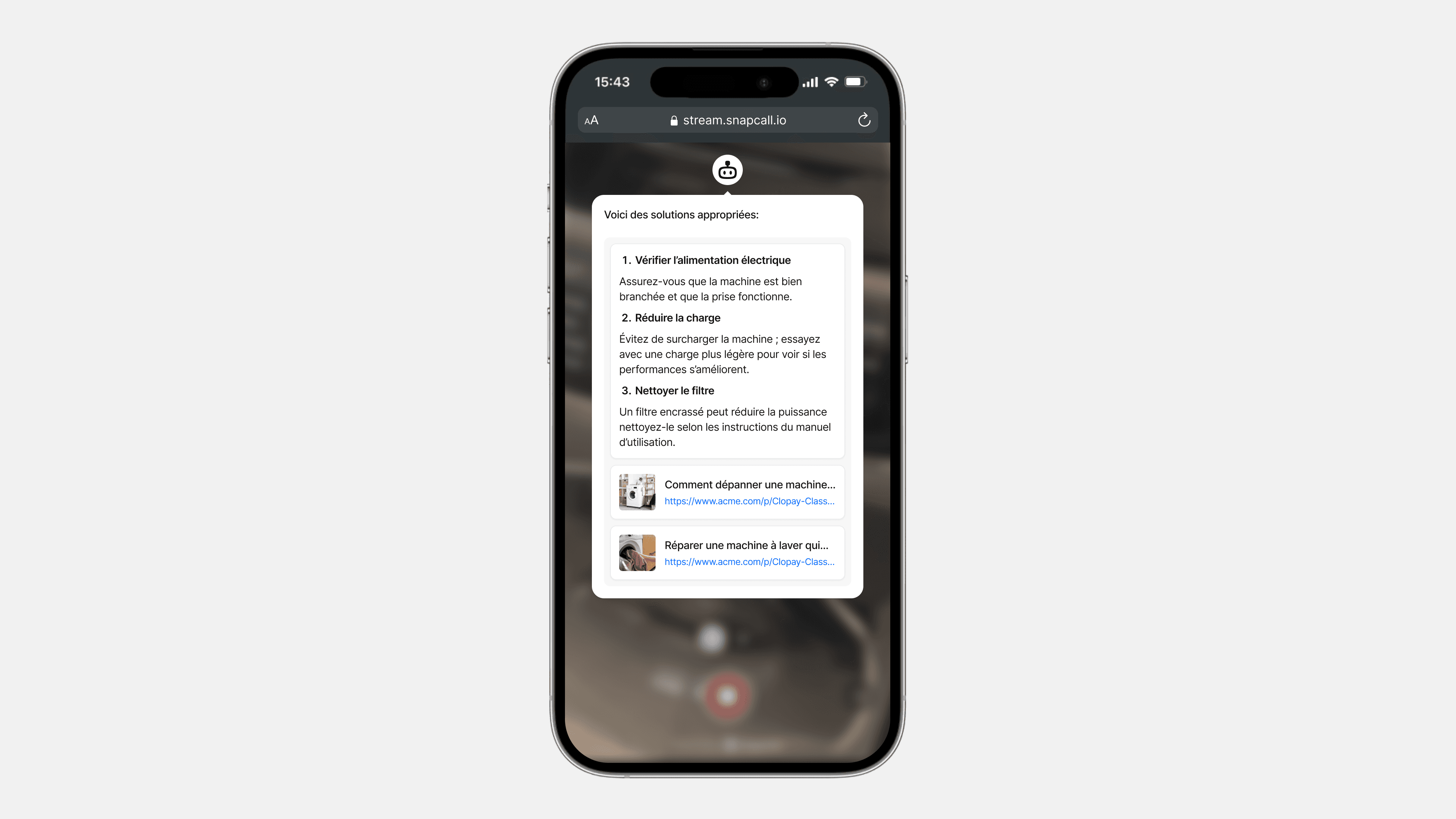
Process visual evidence to determine appropriate solutions
Generate video responses or visual guides when appropriate
Escalate to human agents with complete visual context when necessary
How SnapCall Video Bots Work: Technology Behind the Scenes
SnapCall video bots leverage several cutting-edge technologies that build upon SnapCall's existing visual communication platform:
Computer Vision AI: Identifies objects, text, and situations in video clips shared through SnapCall Clip
Natural Language Processing: Understands customer queries and contextualizes them with visual evidence
Machine Learning: Improves accuracy over time based on interactions and feedback
Knowledge Base Integration: Connects visual evidence to relevant solutions in your Zendesk, Salesforce, or other CRM system
Workflow Automation: Triggers appropriate responses based on visual analysis and automatically updates support tickets
The Evolution of Support Automation:
Text Chatbots → Voice Assistants → Video Bots
Each evolution has added a new communication dimension, with video bots representing the most complete form of automated support by incorporating the crucial visual element
Key Benefits of SnapCall Video Bot Implementation
For Organizations
Organizations implementing SnapCall video bots are seeing remarkable improvements across key metrics:
Reduced Resolution Times: SnapCall video bots analyze visual evidence from SnapCall Clip submissions and provide solutions up to 50% faster than text-only channels
Lower Support Costs: Automation of visual analysis reduces the need for agent involvement in routine cases, building on the 46% efficiency gains already seen with SnapCall Clip
Increased Scalability: Support more customers without proportional increases in headcount by automating initial video clip analysis
24/7 Visual Support: Provide around-the-clock visual assistance through SnapCall video bots without staffing concerns
Consistent Quality: Deliver standardized visual analysis and recommendations across all interactions with AI-powered accuracy
For Customers
Customers also benefit significantly from SnapCall video bot interactions:
Faster Issue Resolution: Get answers based on SnapCall Clip visual evidence without extensive explanations
Reduced Frustration: Eliminate the struggle of describing complex visual problems with simple video recording
Convenience: Submit SnapCall video clips at any time without waiting for an agent
Self-Service Empowerment: Receive AI-guided visual instructions for DIY solutions based on your video submission
Seamless Escalation: Transfer to human agents with all visual context preserved when needed, transitioning smoothly from SnapCall Clip to SnapCall Call if live assistance becomes necessary
SnapCall Video Bot Applications Across Industries
SnapCall video bots are proving valuable across numerous sectors, each with unique use cases that build upon SnapCall's proven video communication platform:
Retail & E-commerce
Product Setup Assistance: Automated visual guidance for assembly and configuration
Return Verification: AI-powered analysis of product condition in return requests
Visual Product Troubleshooting: Automated diagnosis of common product issues
Unboxing Verification: Confirmation of package contents and condition
Knowledge Articles Sharing: Video bots can share knowledge articles with customers during support interactions to enhance issue resolution and customer satisfaction
Electronics & Technology
Visual Configuration Guidance: Step-by-step setup help based on customer-submitted footage
Error Code Identification: Automatic recognition and troubleshooting of display errors
Connection Verification: Validation of proper cable and accessory connections
Software Navigation Assistance: Visual guides for navigating interfaces
Telecommunications
Router Setup Assistance: Automated configuration help based on visual cues
Signal Strength Diagnosis: Analysis of modem status lights and display information
Installation Verification: Confirmation of proper equipment installation
Visual Troubleshooting: Guided resolution for common connectivity issues
Insurance
Claim Documentation: Automated analysis of damage evidence in claim submissions
Coverage Verification: Visual confirmation of insured items and conditions
Risk Assessment: Preliminary evaluation of visual evidence for claim processing
Repair Cost Estimation: AI-powered damage assessment for quick estimates
Building an Effective SnapCall Video Bot Strategy: Implementation Best Practices
Successfully implementing SnapCall video bots requires thoughtful planning and execution. Using the proven SnapCall implementation methodology that has helped companies achieve up to 46% faster resolution times, follow these best practices to maximize your return on investment:
1. Define Clear Use Cases
Start by identifying specific support scenarios where video bots can add the most value:
High-volume, repetitive visual verification tasks
Common product setup or configuration issues
Basic troubleshooting that benefits from visual evidence
Preliminary claim or return assessments
2. Design Intuitive Customer Experiences
The process of interacting with video bots should be seamless for customers:
Simple, one-click recording or uploading interfaces
Clear guidance on what to show and how
Transparent expectations about processing time
Seamless transitions between bot and human assistance
3. Train AI Models Effectively
The power of your video bot depends on proper AI training:
Utilize existing support video libraries for initial training
Continuously feed new visual data to improve recognition
Develop category-specific visual recognition capabilities
Regularly audit and refine AI decisions
4. Integrate with Existing Support Infrastructure
SnapCall video bots seamlessly complement your existing support ecosystem:
Connect with your CRM and ticketing systems through SnapCall's one-click integrations with Zendesk, Salesforce, ServiceNow, and other platforms
Integrate with knowledge base and solution repositories to power accurate automated responses
Ensure compatibility with agent desktop environments for frictionless workflow
Establish clear hand-off protocols from SnapCall video bots to human agents using SnapCall Call when needed
5. Measure and Optimize Performance
Track key metrics to continuously improve your video bot implementation:
Resolution time reduction
Accurate issue identification rates
Successful automation percentage
Customer satisfaction with bot interactions
Agent time saved through automation
Video Bot Implementation Roadmap: From Pilot to Full Deployment
Implementing video bots is a journey that typically follows these stages:
Phase 1: Discovery & Planning
Identify high-impact use cases for video bot application
Define success metrics and ROI expectations
Select technology partners and platforms
Design initial customer journeys and bot interactions
Phase 2: Pilot Implementation
Deploy video bots for 1-2 specific use cases
Train AI models with existing visual data
Test with a small customer segment
Gather initial performance metrics and feedback
Phase 3: Optimization & Expansion
Refine AI models based on pilot results
Expand to additional use cases and customer segments
Integrate more deeply with support systems
Develop agent training for bot collaboration
Enhance agent performance by refining AI models and integrating video bots, providing better visual support tools
Phase 4: Full-Scale Deployment
Roll out video bots across all appropriate channels
Implement advanced analytics and reporting
Develop continuous improvement processes
Explore new applications and capabilities
The Future of Video Bots: Emerging Trends and Capabilities
The video bot landscape continues to evolve rapidly. Here are the key trends shaping its future:
Multimodal AI Understanding
Next-generation video bots will process multiple information streams simultaneously:
Visual elements (objects, text, environments)
Audio cues (sounds, tones, verbal descriptions)
Contextual data (customer history, product information)
Emotional signals (facial expressions, voice tone)
Augmented Reality Integration
AR technology will enhance video bot capabilities:
Real-time overlay of instructions on customer video feeds
Interactive 3D product models for comparison and guidance
Virtual placement of products in customer environments
Spatial analysis for improved troubleshooting
Predictive Visual Support
AI will enable anticipatory visual assistance:
Identifying potential issues before they're explicitly mentioned
Suggesting preventative measures based on visual cues
Recognizing patterns that indicate future problems
Proactively offering relevant visual guidance
Human-AI Collaboration Models
The relationship between video bots and human agents will evolve:
AI-assisted human support with real-time visual analysis
Human-supervised bot learning for complex cases
Seamless transitions between automated and human support
Agent productivity enhancement through AI visual processing
Frequently Asked Questions About SnapCall Video Bots
What is the difference between a SnapCall video bot and a traditional chatbot?
Traditional chatbots are limited to text-based interactions, requiring customers to describe their issues with words alone. SnapCall video bots, however, can receive, analyze, and respond to visual information shared by customers through SnapCall Clip. This visual capability allows SnapCall video bots to understand issues that are difficult to describe textually, like physical product damages, setup configurations, or technical malfunctions—reducing the communication gap and accelerating issue resolution just as SnapCall's video communication platform has already demonstrated with 46% faster resolution times.
How much can SnapCall video bots reduce customer support costs?
Organizations implementing SnapCall video bots typically see cost reductions of 30-40% in their support operations, building on the cost savings already achieved with SnapCall Clip and Call. These savings come from multiple sources: reduced agent handling time (as visual context eliminates extensive back-and-forth), decreased escalation rates (as more issues can be resolved at first contact), lower training costs (as visual evidence simplifies diagnosis), and increased self-service resolution (as customers can receive automated visual guidance through SnapCall Clip). Companies like Devialet, Free PRO, and Bob's Discount Furniture have already seen significant operational savings with SnapCall's video platform, with video bots further amplifying these benefits. For a typical enterprise support center, this can translate to hundreds of thousands in annual savings.
Do SnapCall video bots require special hardware or software for customers?
No, SnapCall video bots are designed to work with the devices customers already own, just like SnapCall Clip and Call. Any smartphone, tablet, or computer with a camera is sufficient. Customers don't need to download special applications—SnapCall's video bot solution works directly in the web browser or through existing messaging platforms. The technology is intentionally designed to be low-friction, allowing customers to quickly capture and share visual information through SnapCall Clip without technical barriers. This ease of use is one reason why SnapCall has achieved such high customer adoption rates across industries.
How accurate are SnapCall video bots at identifying product issues?
The accuracy of SnapCall video bots continues to improve rapidly with advances in AI and machine learning. Current systems demonstrate 85-95% accuracy in identifying common product issues, particularly in categories where they've been extensively trained using existing SnapCall Clip libraries. SnapCall's accuracy rates benefit from the high-quality video evidence captured through the SnapCall platform, which provides clearer visual context than standard photo submissions. Accuracy rates depend on several factors, including the quality of the training data, the specificity of the use case, and the clarity of the visual evidence provided. SnapCall video bots include confidence thresholds that automatically escalate to human agents when certainty falls below acceptable levels, ensuring customers always receive accurate support.
Can SnapCall video bots integrate with our existing CRM and support systems?
Yes, SnapCall video bots offer robust integration capabilities with major CRM and support platforms including Zendesk, Salesforce, ServiceNow, and others—building on SnapCall's existing one-click integration framework. These integrations allow video evidence from SnapCall Clip and AI analysis to flow seamlessly into your existing ticketing system, preserving context when escalation to human agents is necessary. The visual data becomes part of the customer's support history in your CRM, enabling more personalized service in future interactions and providing valuable training data for continuous system improvement. SnapCall's commitment to seamless integration has been proven through successful implementations with major platforms across hundreds of enterprise customers.
How long does it typically take to implement SnapCall video bots?
Implementation timelines vary based on scope and complexity, but most organizations already using SnapCall Clip and Call can expect an accelerated 2-3 month journey from initial planning to full video bot deployment. SnapCall offers accelerated implementation for specific pre-configured use cases, potentially reducing time-to-value to as little as 6-8 weeks for the initial deployment. SnapCall's experienced implementation team guides customers through each step of the process, ensuring rapid time to value as demonstrated by customers like Devialet who achieved 46% faster resolution times shortly after implementation.
How do SnapCall video bots handle customer privacy and data security concerns?
SnapCall video bots prioritize customer privacy and data security through multiple safeguards, building on SnapCall's enterprise-grade security infrastructure. These include: end-to-end encryption of all video clip content, secure cloud storage with strict access controls, automated PII detection and redaction capabilities in video analysis, configurable data retention policies that comply with your organization's requirements, full compliance with GDPR and other regional privacy regulations, and transparent opt-in processes for customers. SnapCall also provides customers with control over what they share, allowing them to review footage before submission and delete recordings from the system when desired. These comprehensive security measures have enabled SnapCall to meet the stringent requirements of enterprise customers in highly regulated industries including banking, insurance, and healthcare.
What metrics should we track to measure SnapCall video bot effectiveness?
To comprehensively evaluate SnapCall video bot performance, organizations should utilize SnapCall's built-in analytics dashboard to track both operational and customer experience metrics. Key operational metrics include: average resolution time (where customers like Devialet have seen 46% improvements), first-contact resolution rate, automation rate (percentage of SnapCall Clips handled without human intervention), escalation rate from video bot to live agent, and agent handling time. Customer experience metrics should include: customer satisfaction (CSAT) scores (which commonly reach 90%+ with SnapCall), Net Promoter Score (NPS), customer effort score (CES), SnapCall Clip submission completion rates, and self-service success rates. SnapCall's analytics platform makes tracking these metrics simple, providing a holistic view of the solution's impact on efficiency and experience with detailed reporting and trend analysis.
Getting started with SnapCall Video Bots: next steps for support leaders
Ready to explore how SnapCall video bots can transform your customer support operation? Here are practical next steps:
Audit Current Visual Support Processes: Identify where your team currently handles visual evidence manually or could benefit from SnapCall Clip automation
Quantify Potential Impact: Calculate time and resources spent on visual analysis tasks that could be automated with SnapCall video bots
Prioritize Use Cases: Determine which scenarios would benefit most from SnapCall video bot automation based on volume and complexity
Schedule a SnapCall Demo: See how SnapCall's comprehensive platform including Clip, Call, and video bots can address your specific requirements
Develop an Implementation Roadmap: Work with SnapCall's customer success team to create a phased plan for video bot adoption
Conclusion: SnapCall Video Bots as a competitive advantage
In an era where customer experience defines competitive advantage, SnapCall video bots represent a powerful opportunity to transform support operations. By combining the rich context of visual communication through SnapCall Clip with the efficiency of AI automation, organizations can:
Resolve issues faster with immediate visual context, building on the 46% resolution time improvements already demonstrated by SnapCall customers
Scale support operations without proportional cost increases through intelligent automation of video analysis
Improve customer satisfaction through visual understanding, as evidenced by the 90%+ CSAT scores achieved with SnapCall
Reduce agent workload by automating routine visual analysis of SnapCall Clips
Build a foundation for next-generation customer experiences using SnapCall's comprehensive visual support platform
As customer expectations continue to rise and support teams face pressure to do more with less, SnapCall video bots offer a compelling solution that addresses both operational efficiency and experience quality. Organizations that embrace SnapCall's video bot technology now will position themselves at the forefront of customer support innovation, joining industry leaders like Devialet, Bob's Discount Furniture, Free PRO, and others who have transformed their support operations with SnapCall's visual communication platform.